NDA 2026 Application Procedure: Are you among those who want to serve the nation via National Defence Academy? If so then your journey begins with NDA registration. NDA 2026 application form for session 2 can be submitted till 11th June 2026 by UPSC.
Not sure about the registration steps of NDA 2026. Checkout step-by-step procedure below >>
NDA 2026 Registration Procedure – Till 11th June
 NDA 2 2026 Application Form last date has been extended till 11th June 2026 (6:00 PM). Check here for application details.
For NDA session 2, exam will be conducted on 13th September 2026. UPSC NDA examination is conducted for recruitment in Indian Defence Forces which include Indian Army, Air Force, and Navy.

Candidates interested in filling out NDA 2026 application form should note that registering for exam is not difficult, a bit challenging thing is to apply by adhering form-filling process correctly.
Queries? Type Here For Answer
Here, we have mentioned detailed information about How to Fill NDA 2026 Application Form, fees, required documents, and more.
NDA Application Form 2026
NDA 2026 dates have been already announced through UPSC examination calendar. Candidates can fill out application form in online mode. Only candidates who successfully fulfil the NDA exam eligibility are eligible to apply.
For NDA 1 2026 application form has been released on 10th December 2025 and for NDA II 2026 on 20th May 2026. Candidates can submit NDA I & II application forms till 30th December 2025 and 11th June 2026 respectively.
Those who are interested in filling out an application should note that they have to fill it out very carefully and correctly. Any mistake in the form will lead to application rejection. UPSC NDA 2026 Application cannot be filled in offline or in any other mode. Online filled forms are not required to be sent to authority via post or any other mode.
Watch Complete Video On How to Fill NDA 2026 Application:
Check Steps & Guide to Register >>
How to Fill UPSC NDA 2026 Application Form
Follow these steps for filling out the NDA application form:
Step 1- Create Account & Login.
Step 2- Universal Registration.
Step 3- Common Application Form (CAF)
Step 4- Apply For Examination
Step- 1: Create Account & Login
- Visit the UPSC official website (link is given above).
- A new page will be opened on the screen.
- On the right-hand side of the web page, click on the “Creat Account” button.

- Read the instructions carefully and tick the declaration.
- Now click on the “Proceed for Account Creation” option.

- Now, Enter your Email ID & Captha and click on “Get OTP” button.
- Once again verify your details carefully and click on “I Agree” button.
- Now, verify the OTP details.
- Enter your received Email OTP and click on “Verify OTP” button.
- Now, enter your mobile number and verify it using an received OTP.

- Now create a strong password by following the password policy.
- The instructions to create password is given in top of the page.
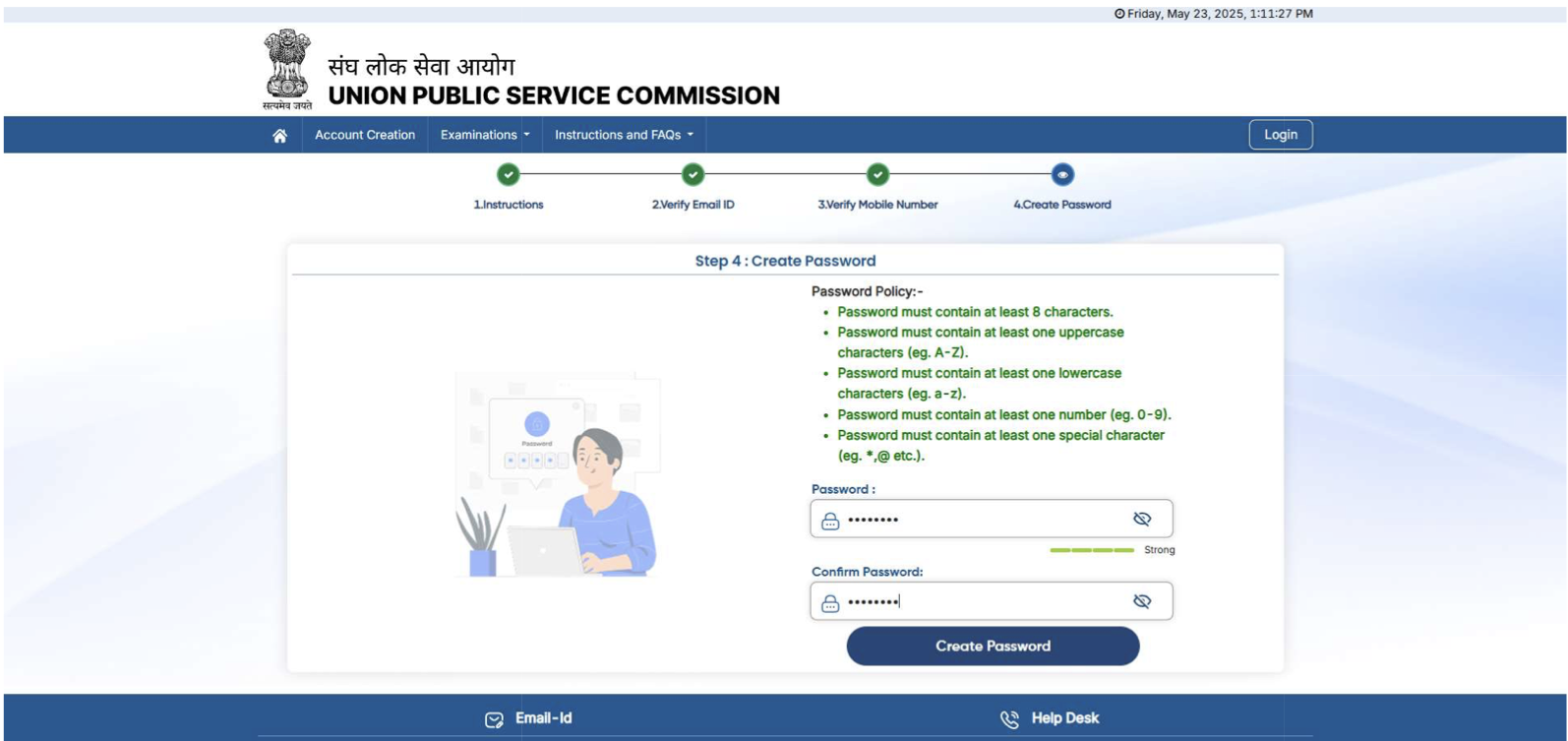
- After the successfull account creation, you will receive an sms and Email on the same registered mobile number and Email ID.
- Now, login again by entering the registered Email ID and password and proceed for next step.
Step- 2: Universal Registration
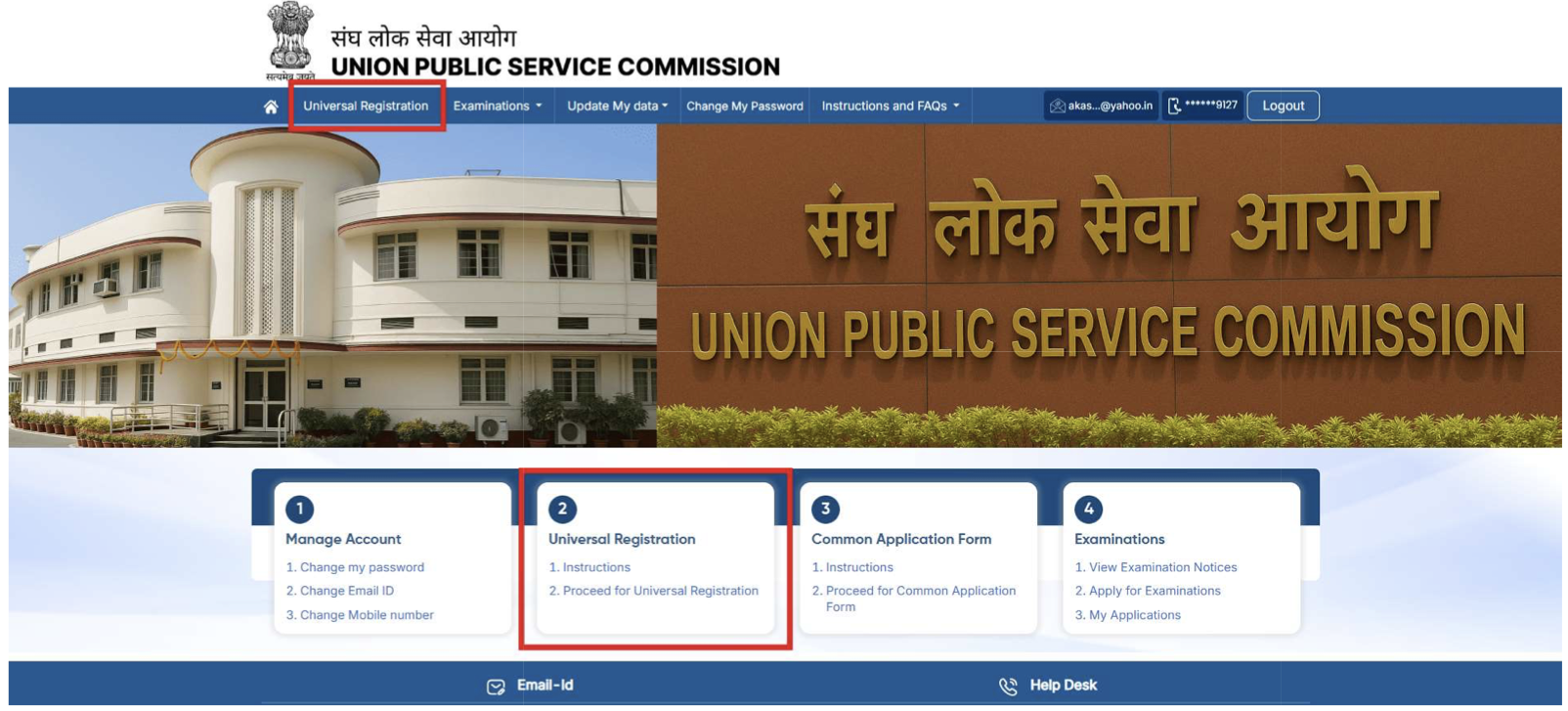
- On the home page, go through the “Universal Registration” section.
- Now, read the instructions carefully and click on the “Proceed for Universal Registration” option.
Fill Details:
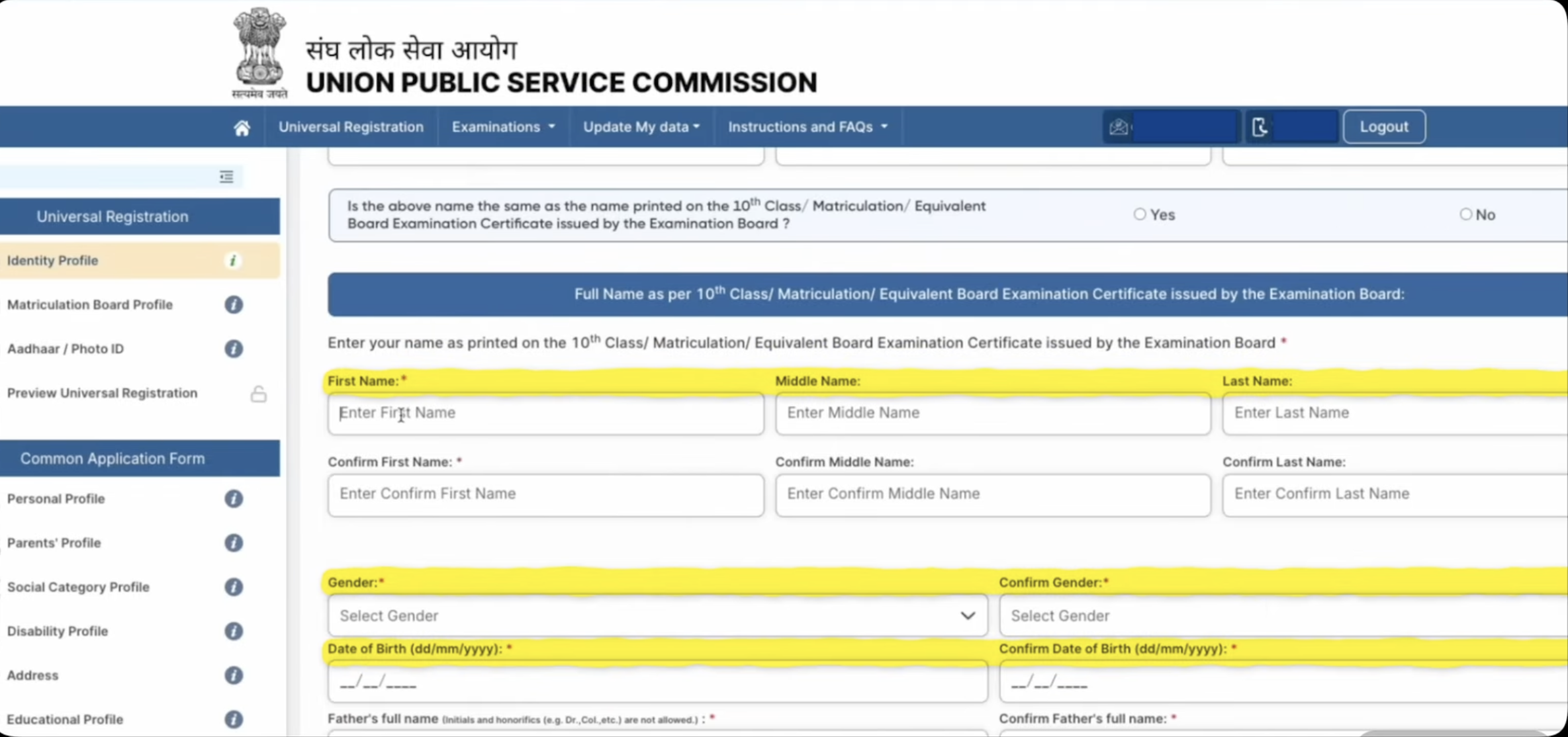
- Now go through the “Identity Profile” section.
- Enter your Name, DOB, Gender, Father’s Name, Mother’s Name, Guardian Name.
- Now click on “Next & Review”.
- Check the filled details carefully and click on the “Submit” button.
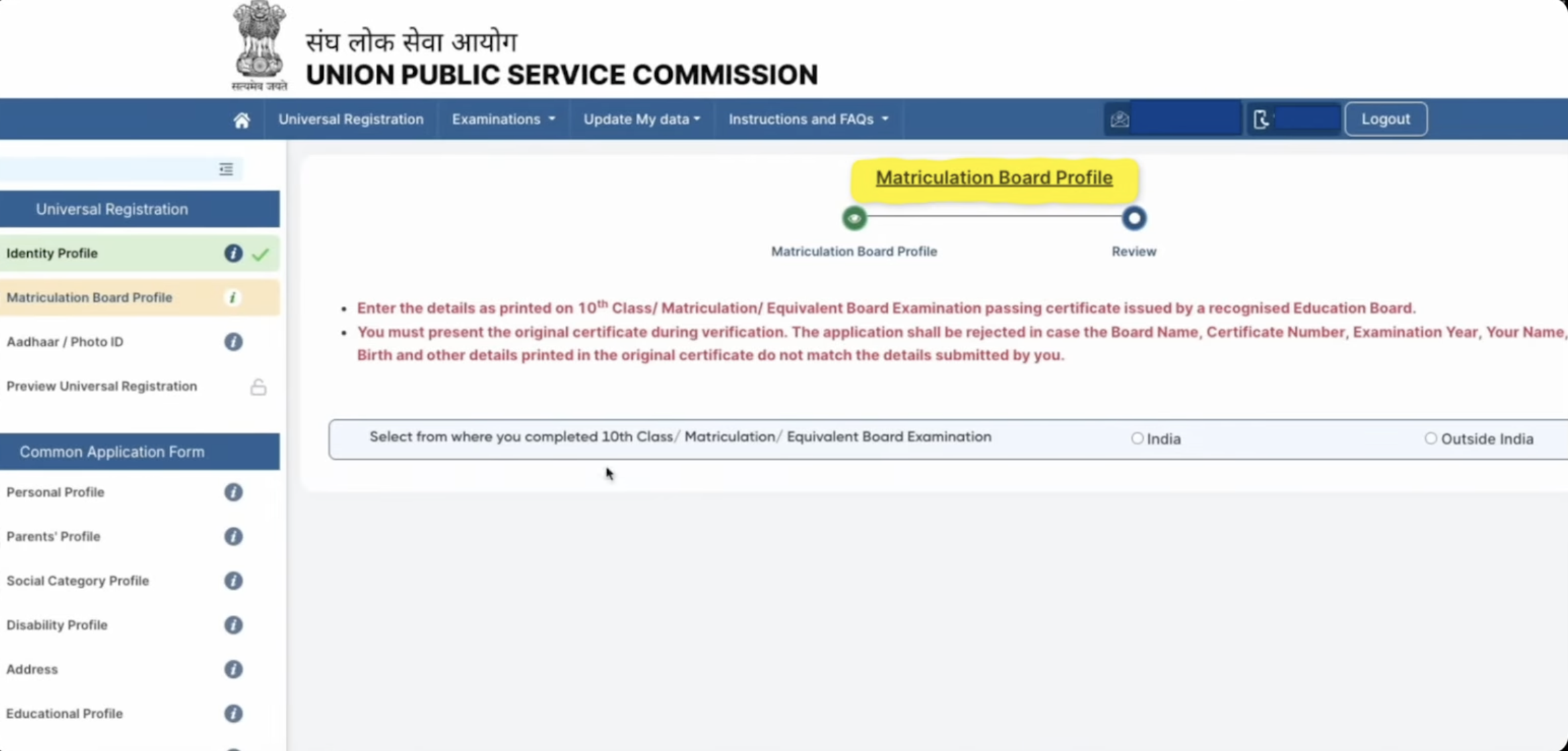
- Click on the “Matriculation Board Profile” option.
- Now fill the details like Board passing starte, Board Name, Year, Certificate Number, Roll Number, Issue Date and Percentage.
- After filling the details upload the 10th class certificate and click on “Submit” button.
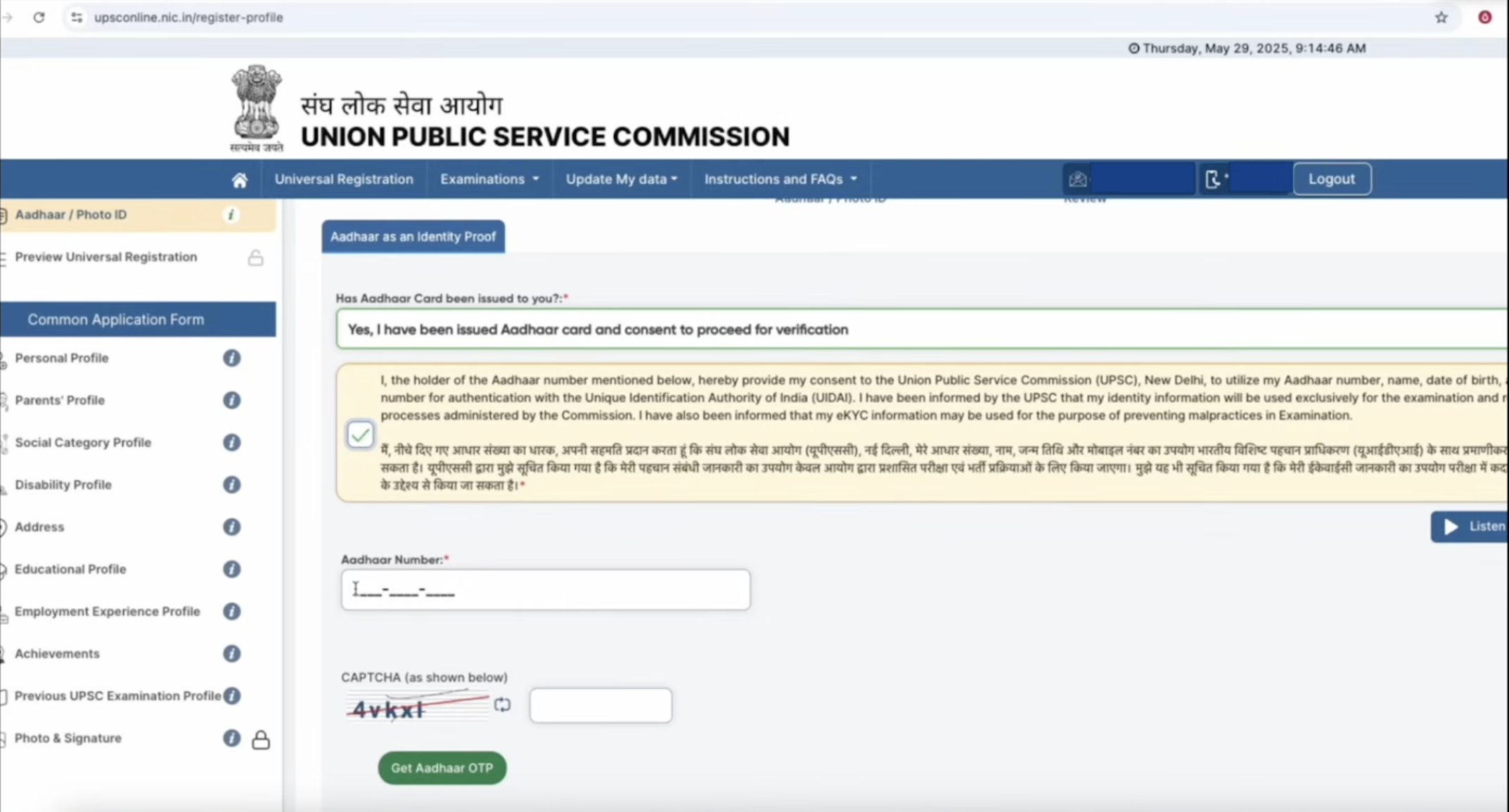
- For next step, click on the “Aadhaar & Photo ID” option.
- Accept the declaration, Enter your Aadhaar Number, Captcha & click on “Get Aadhaar OTP” option.
- You may also apply through other IDs like DL, PAN card, passport, Voter ID card etc.
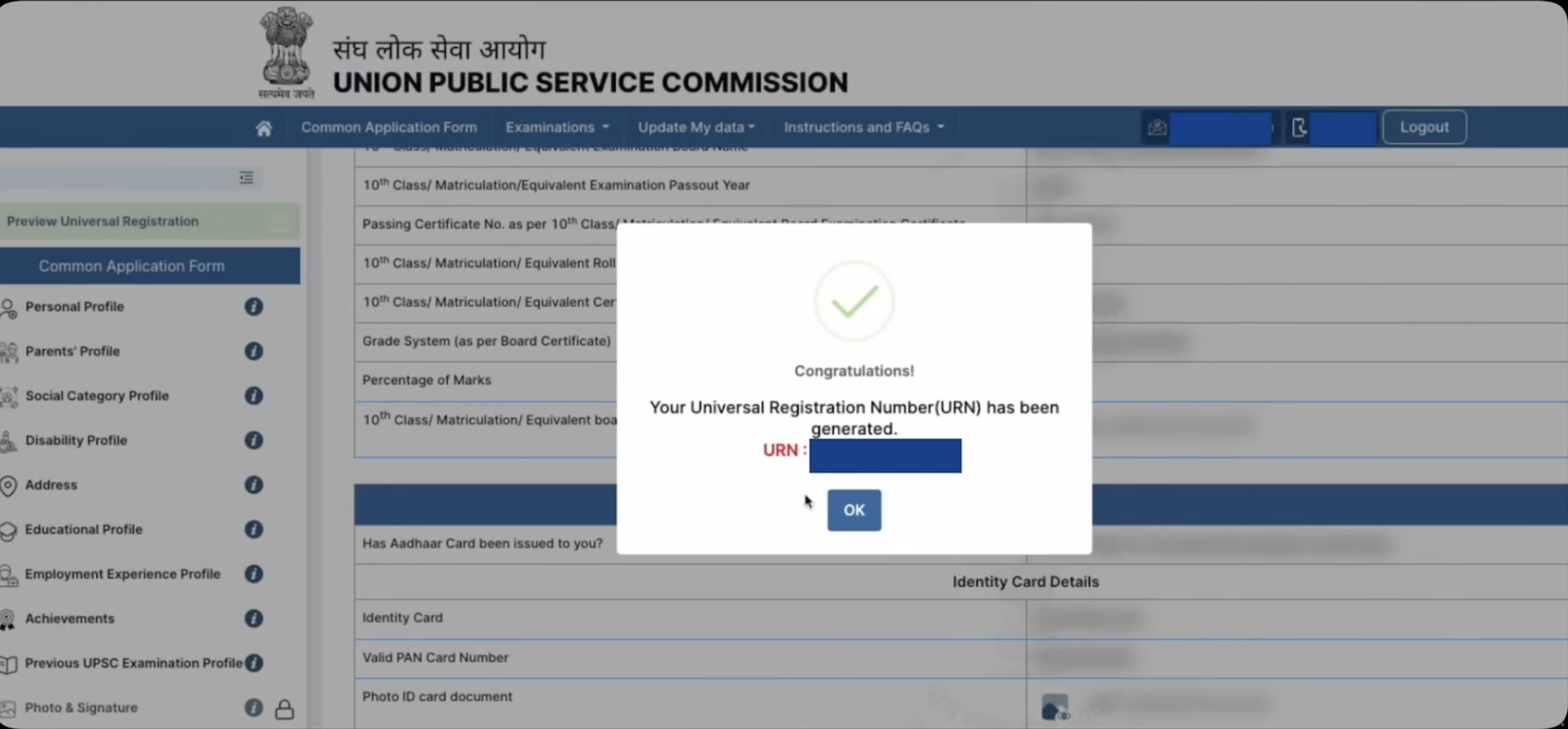
- After verifying the photo ID, review all the filled details and complete the universal registration.
- After final submission of the details, Universal Registration Number (URN) will be genrated.
- Make sure to keep it save for further use.
Step- 3: Common Application Form (CAF)
- Click on the “Proceed to fill common application form” button.
- Now fill your personal profile details like Nationality, State Domicile, Mother Tounge, Maritial Status, Place of Bith & Alternate contact information.
- Fill parents details such as Father’s Name, Mother’s Name, Status, Occupation and Nationality.
- After that Enter Social Category details. If you belong to any category than fill its required details. Also you have to upload your category certificate in this stage.
- Fill your Disability profile details.
- Next enter your correspondence address and current address details like state, district, city, post office and pincode.
- Submit your educational profile details like qualification level, status, passing year, board name, school name, subjects, roll number and medium.
- Fill your employment experience and achievements details (if any).
- Now fill previous UPSC exam details (If you have appeared previously).
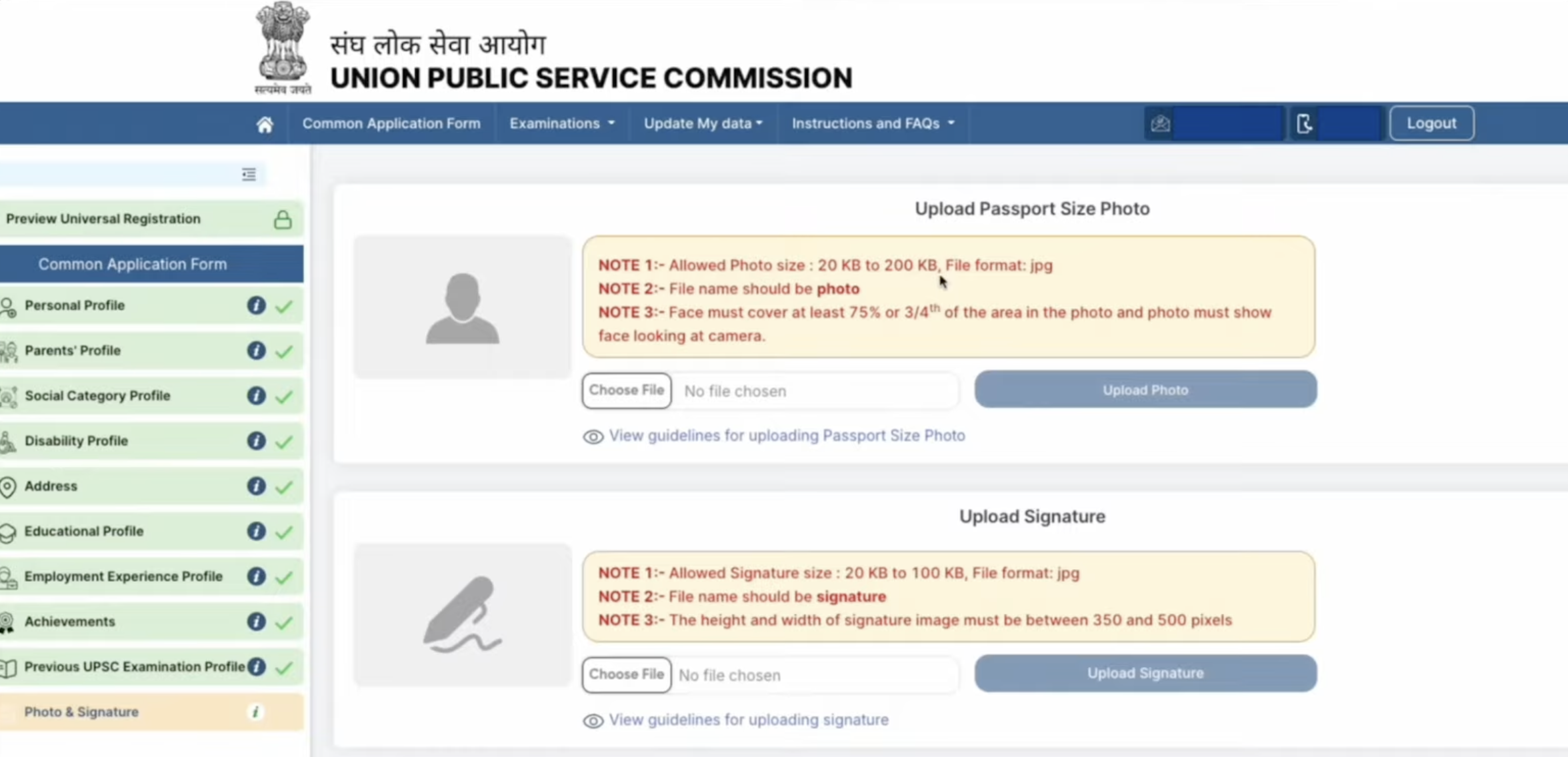
- Go through the photo & signature upload section.
- Upload the passport size photograph and signature as per the specification.
- Also candidates have to click on the “Capture from mobile” option.
- A QR code will appear on the screen, Now scan it and open link and upload your live photograph.
- After uploading the image, proceed for the next step.
Step- 4: Apply for Exam
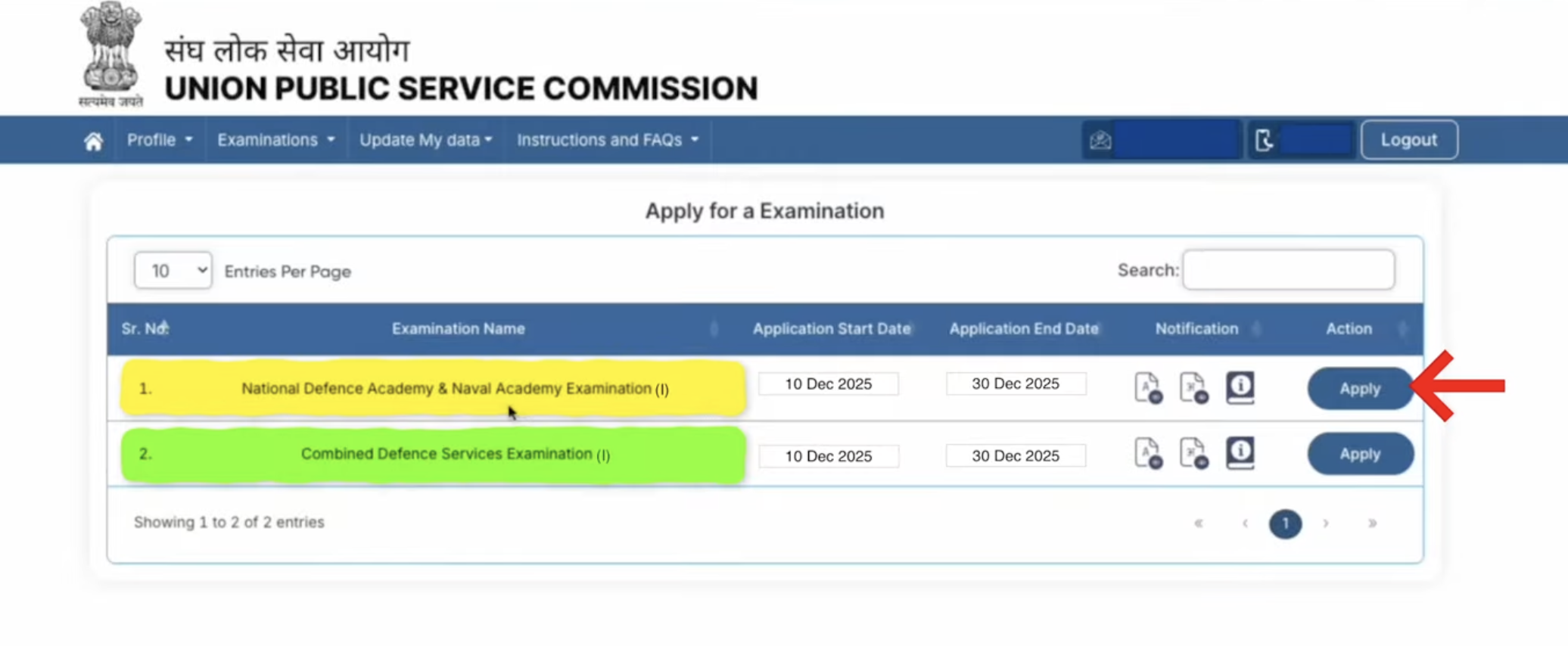
- Now go through the examination section and click on “Apply for Examination” option.
- In front of National Defence Academy & Naval Academy Examination, click on the “Apply” button.
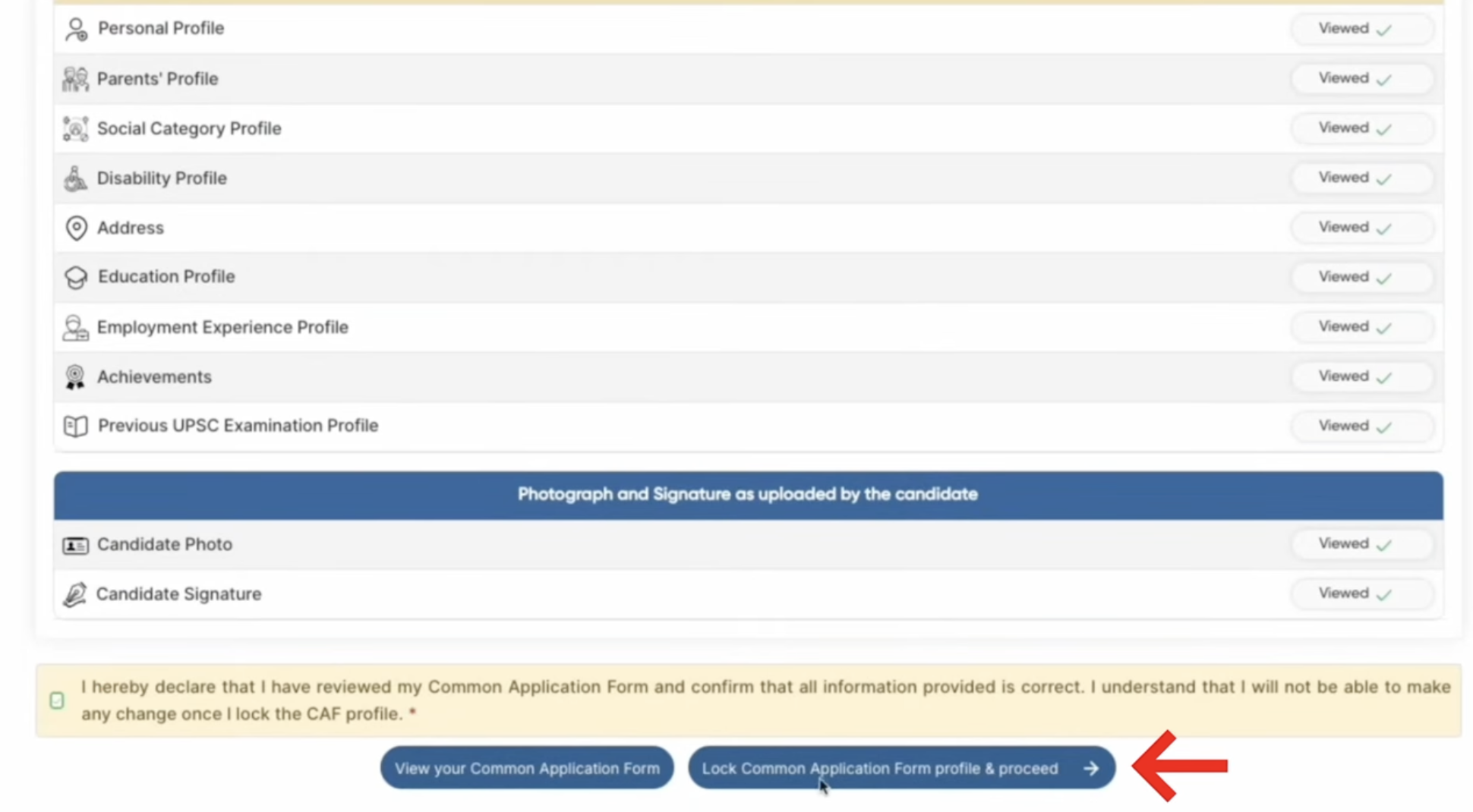
- Now your previously filled details will appear on the screen.
- review your filled details and click on the declaration.
- Click on the “Lock Common Application Form Profile & Proceed”.
- Now, select your educational qualification level.
- Enter your 12th roll number, certificate issue date & authority, full address of board.
- After filling the details, upload the 12th class certificate.
- Also provide Sainik/Military School status & other details.
- Now, select your preference of service like Army, Navy, Airforce, Naval Academy etc.
- Review all the filled details and click on “Next & Submit” button.
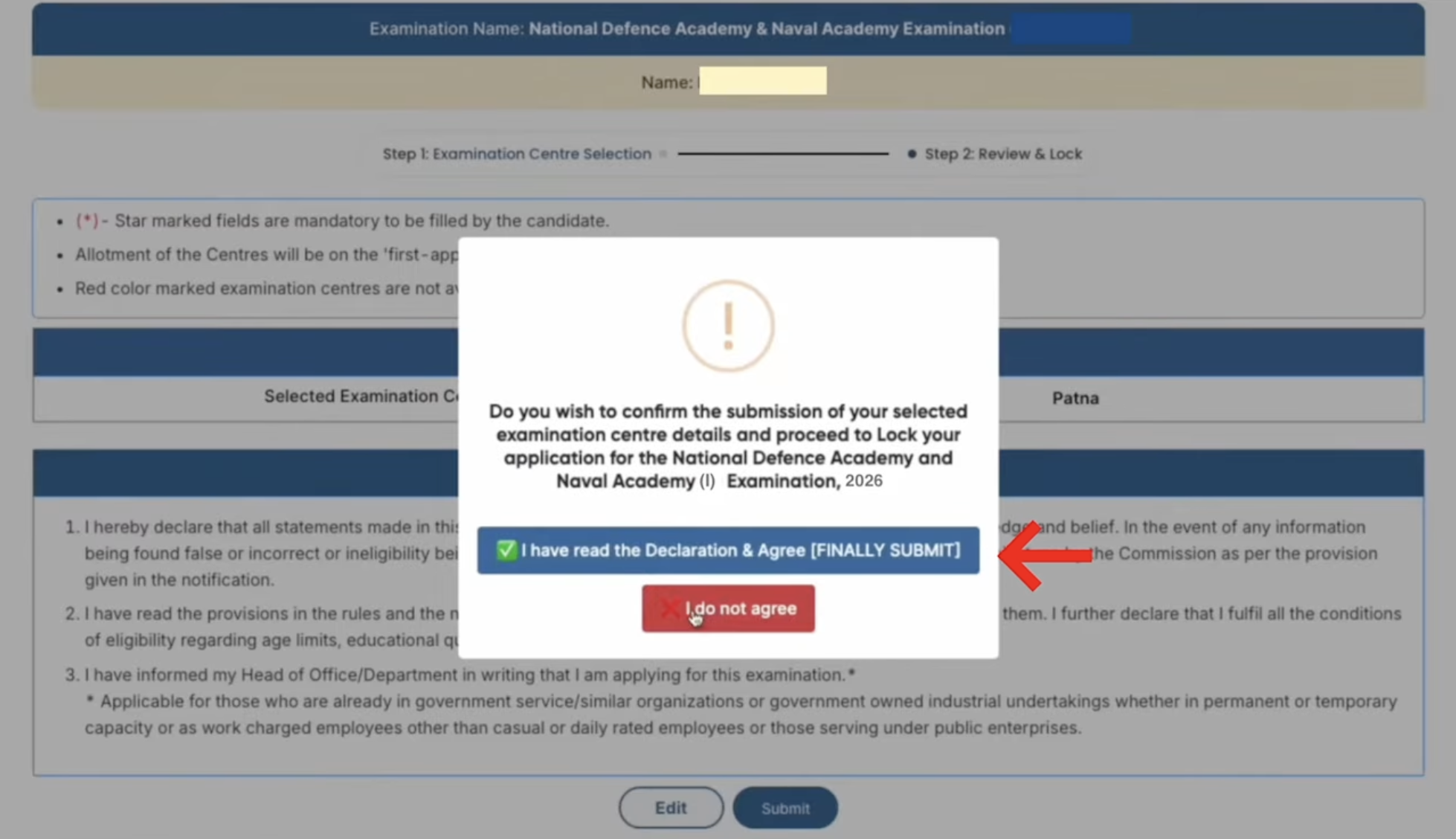
- Next select your exam centers choices as per your convience.
- Now tick the “I have read the declaration & Agree (Final Submit) option.
- If you belong to general category than you have to pay the application fee.
- The payment can be done through credit card/debit card or net banking.
- The candidates can also use the credit card/debit card of any bank for the fee payment.
- The payment through Internet banking will be done using the Internet banking facility of State Bank of India/State Bank of Bikaner & Jaipur/State Bank of Hyderabad/State Bank of Mysore/State Bank of Patiala/State Bank of Travancore.

- After the successful payment of application fee, an SMS alert will be sent to the candidates. Uploading of Photograph:
Key Features
- The applicants who submitted their forms through online do not need to send any document/certificate to the UPSC.
- The message of final submission of the application form will be received by the candidates via e-mail.
- “View/Print Application” link is available on the home page for viewing the submitted application form.
We hope that this article was helpful for you to understand the process on how to submit NDA 2026 session registration form. Keep visiting this page as once application is released we have provided here direct link to apply.
For any further assistance regarding How to Fill NDA 2026 Application Form, you may ask us by commenting below.
While on correction made educational qualification and upload, red x mark is seen and option for air force is denied. How can it be cleared.
You must ask to the authority regarding correction details.
I have applied online application for NDA-I but the fee related option not shown, who to deposit fees for the same.
Application window is now closed. It is not possible to make payment now.
I have done the OTR. But I can’t find the way to apply for the exam. How can I do that?
You can get link to apply for NDA I 2025 here.
application form nda direc link
You can get direct link to apply for NDA I Session I here.
I’m an arts student , i don’t have physics and chemistry so can i apply for NDA 2025 .
Yes, you will be eligible to apply for NDA 2025 army wings.
NDA application form me state cast certificate lagega ya central cast certificate???
You must provide central caste certificate for NDA 2025.
i have completed all the procedure for nda 1 2025 form but but could find how to pay fees??
Payment option will be provided to you while filling the application form before document upload.
I have successfully filled Part -1of NDA 2 2024 but part 2 could not be completed. I am not able to reach or open part 2 form so that I can complete the process. Pls guide me
You are advised to try again using different browser, if same issue occurs contact officials.
I have submitted part 1 registration. Paid the fee too. But couldn’t submit part 2 registration as the time was over(6pm). The notification shows that modifications can be done from 7 June to 13 June. Can I complete the application. Pls guide.
You can not submit the form during correction process.
After the registration, how many printouts am I expected to do
Sir I just took the form how can I submit it
You are able to fill and submit the application form through online mode.
I already applied NDA 2nd, what is my present application status.
You can check it yourself by entering login details.
ID proof should be of what size for uploding